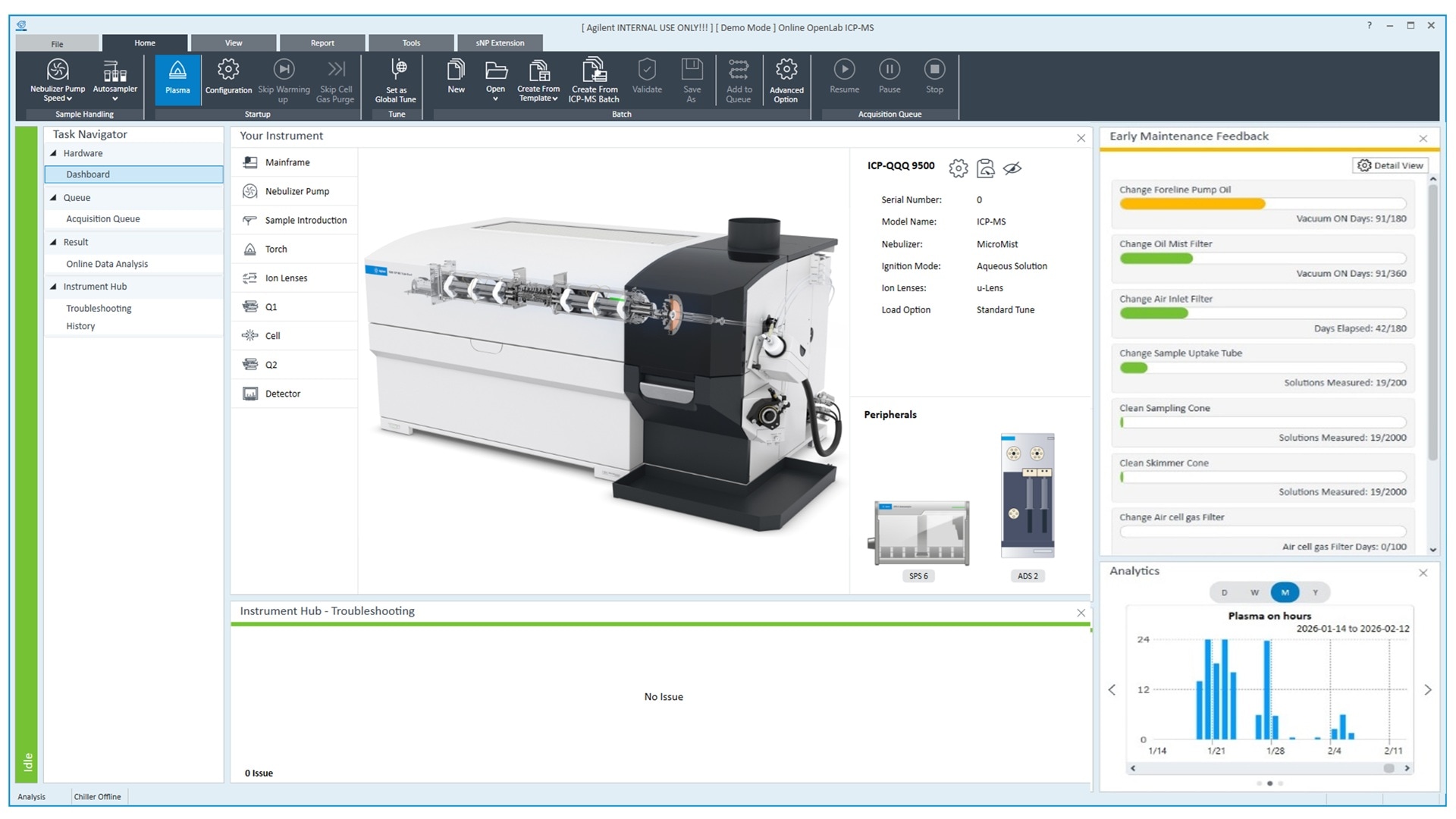
If you use Agilent ICP-MS MassHunter software, Agilent OpenLab ICP-MS will feel familiar. However, it features a new intuitive dashboard (Figure 1) that summarizes key information, such as instrument status, configuration, maintenance tasks, and important messages. It also displays analytics, which can be switched between historical views of Total Matrix Solids (TMS), plasma-on hours, and the number of sample injections. The dashboard also links directly to the workflow for method editing and sample measurement.
Easy method creation and import
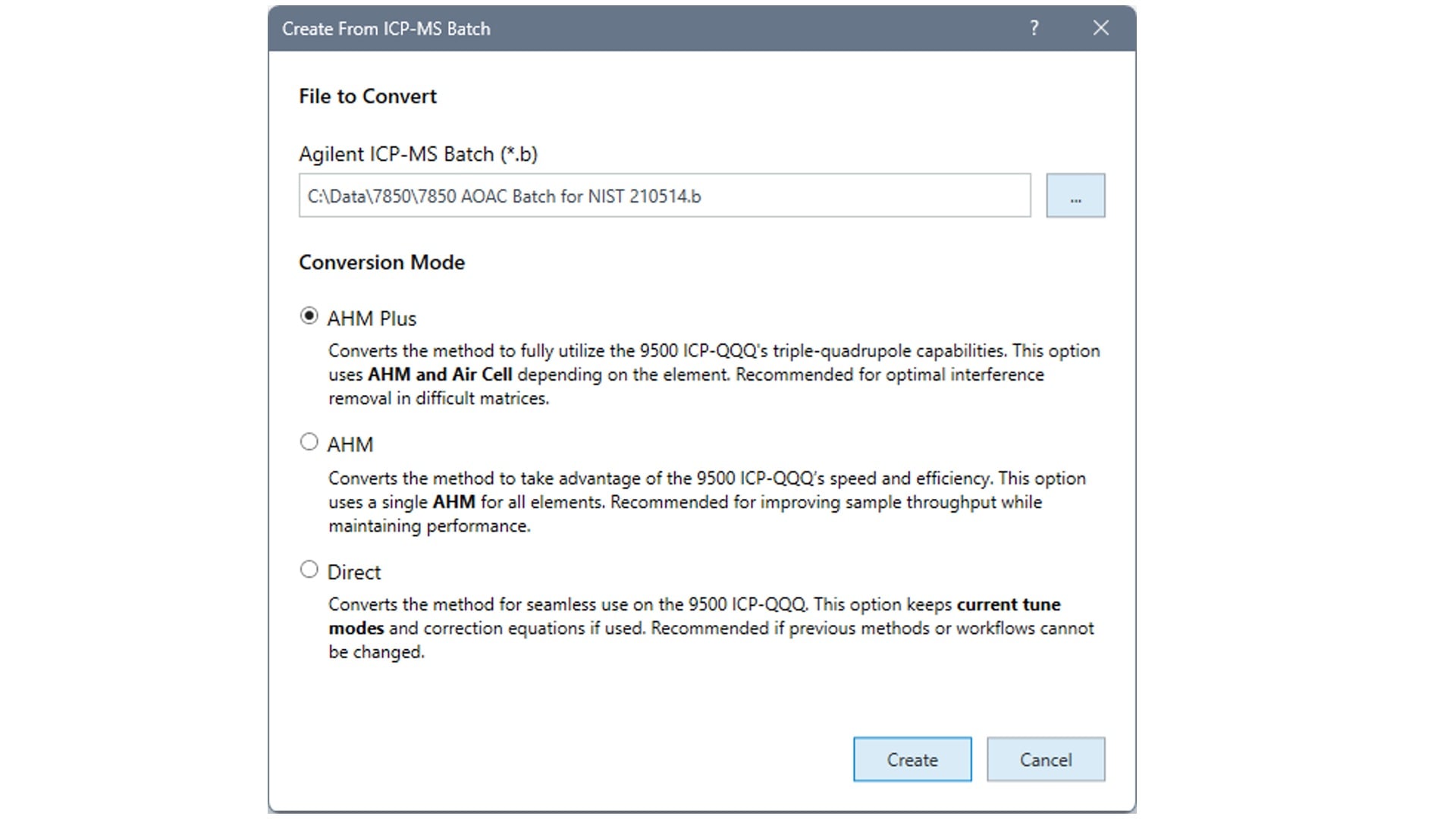
New users of the Agilent 9500 ICP-QQQ can import their existing single quadrupole methods directly into OpenLab ICP-MS. The Batch Conversion Tool (Figure 2) can import a current method and convert it into a 9500-compatible method. It offers three conversion options:
- AHM Plus (Advanced Helium Mode plus Air cell): maximizes robustness, helping handle difficult interferences and variations in complex sample matrices
- AHM: maximizes throughput, with typically >33% reduction in acquisition time
- Direct: uses the current cell modes without taking advantage of AHM and Air cell
An additional option, called the Method Adviser (Figure 3), is available. This option allows an element list to be imported as a .csv file (for example from an ICP-OES method) or created by clicking on the elements in the Periodic Table. Method Adviser will then select the most appropriate operation mode for each element, with the option to use AHM Plus or AHM only.
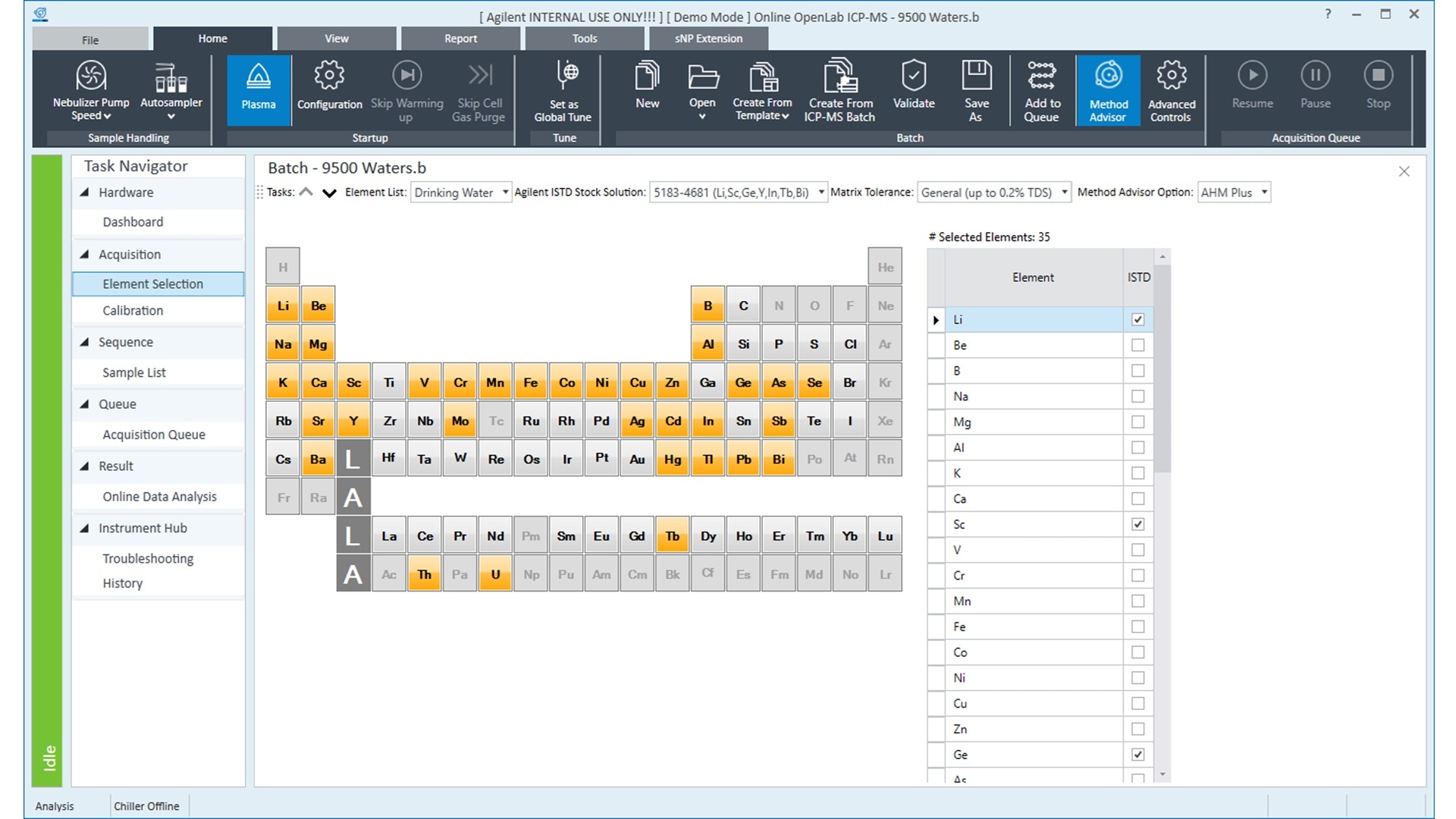
With AHM Plus selected, elements will be acquired in AHM and Air cell modes as applicable; when AHM is selected, all elements will be acquired in AHM mode only. Regardless of which option is selected, the Method Adviser will use a recommended, optimized integration time for each element, further simplifying method setup. As with the previous generation software, there are a number of preset methods for different workflows and regulations.
OpenLab ICP-MS also features a new “screening” preset method. This is a dedicated, rapid screening method for acquiring semiquantitative data. The screening method uses the instrument tune solution to calibrate the mass response, allowing semiquantitative data generation without the need to prepare standard solutions.
IntelliQuant feature update
IntelliQuant with Star Rating is a very popular and useful feature. Introduced in ICP-MS MassHunter 5.3, Star Rating combines IntelliQuant full-spectrum data with quantitative measurements to provide a total quality-of-analysis result in an easy-to-understand five-star rating. The Star Rating assesses information from:
- Potential interferences taken from the IntelliQuant full spectrum
- Calibration quality
- Backgrounds, BEC, and DL data
- Measurement precision
Each sample is assessed for the four separate parameters, and the Star Rating is adjusted as needed. A five-star result indicates a high level of confidence in the data; a one- or two-star rating indicates a possible issue (for example, a high % RSD could indicate the solution ran out during measurement). A lower Star Rating will also include a brief explanation of why the isotope received a score below five stars.
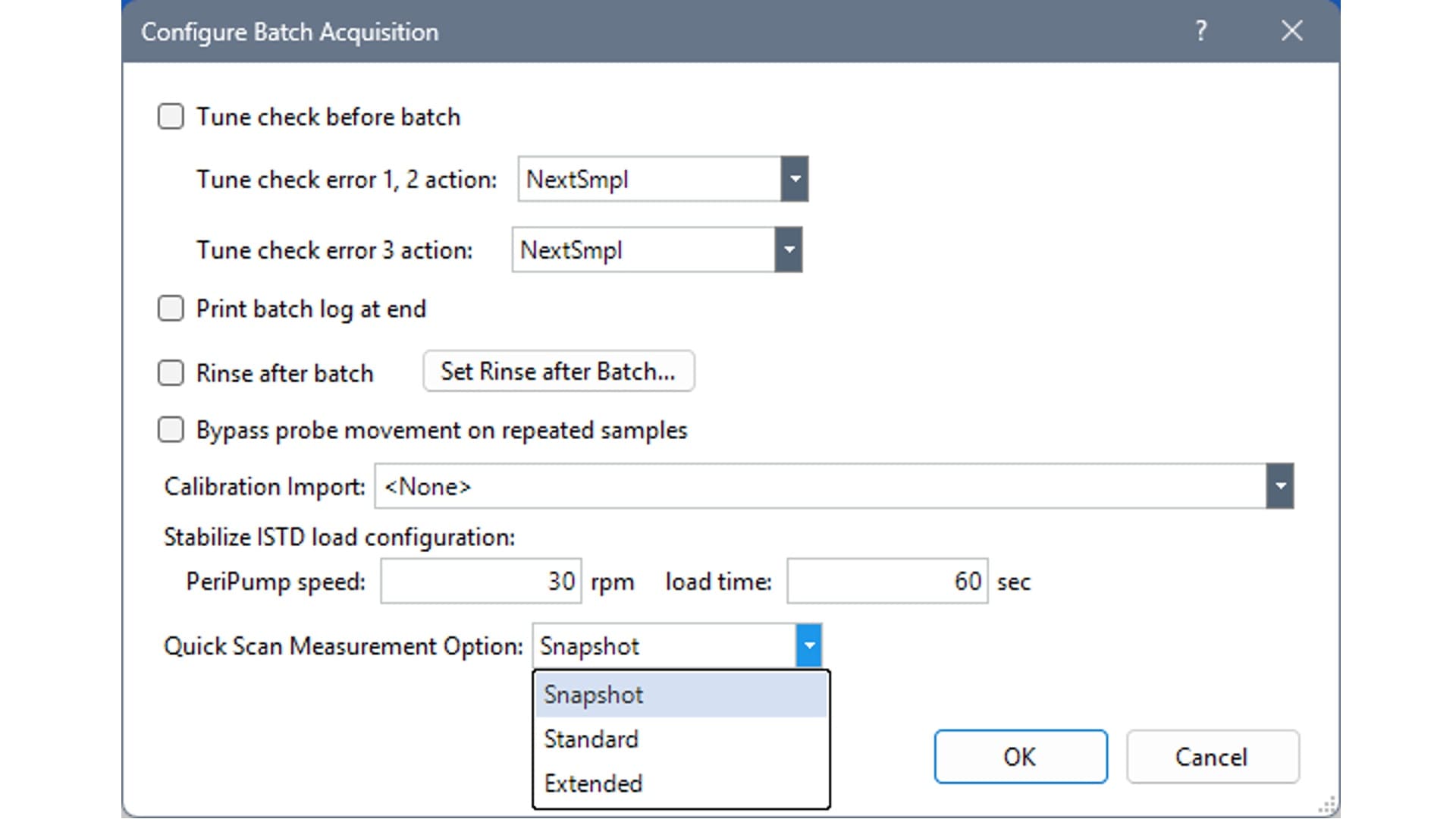
New to OpenLab ICP-MS, IntelliQuant QuickScan time can be adjusted between three options to suit the desired data quality and balance total acquisition time (Figure 4).
- Snapshot: A rapid 2 s full spectrum suitable for basic semiquantitative data and sufficient for the Star Rating assessment of potential spectral interferences
- Standard: A 10 s full spectrum scan, still short but offers better detection for low-concentration elements
- Extended: A 30 s full spectrum scan, the best compromise between time and having a separate dedicated IntelliQuant method.
IntelliQuant Star Rating now assesses internal standard elements not only for precision, but also for potential interferences. This is important because interference with an internal standard could cause data to be underreported. For example, if 72Ge were used as an internal standard and the sample contained an unexpectedly high concentrations of 144Nd, a potential interference from 144Nd2+ could appear at 72 u. This would appear as if the Ge response was high, potentially causing underreporting for the elements using Ge and an internal standard. The Star Rating will now report this, allowing the user to select an alternative internal standard.
Still more features
There are many more features, new and carried over from previous software versions. For some Tricks and Tips, take a look at the previous articles featured in The ICP-MS Journal.
We will feature more Quick Tips in upcoming editions of The ICP-MS Journal, so make sure you subscribe or check the homepage to keep updated.