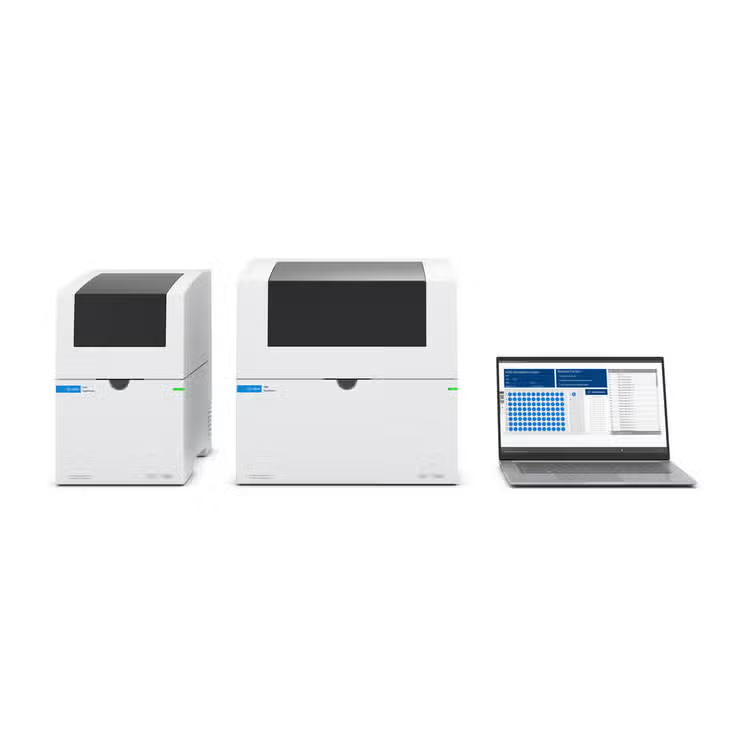
Superior instrument control, data acquisition and analysis with the 4150 and the 4200 TapeStation systems.
The TapeStation software provides fast and intuitive data analysis of nucleic acid sample data from the TapeStation instrument. It offers streamlined data acquisition, analysis, and reporting for nucleic acid sample quality control (QC) and supports high-throughput workflows by providing automatic calculation for sample concentration, sizing, and integrity.
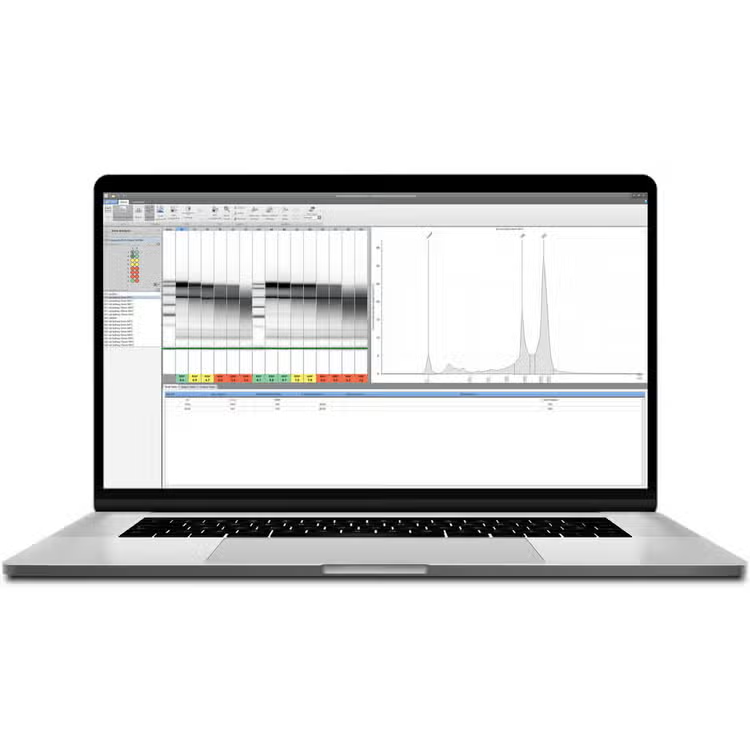
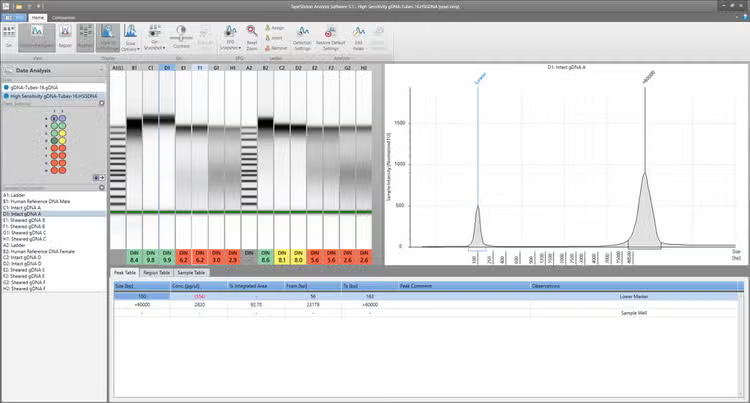
TapeStation software offers two modes for analysis, which are peak or region focused. The software enables customizable visualization of the results in various formats like electropherograms, gel images, and tables. In addition, it includes hardware diagnostic tools and user documentation provided within the Agilent Information Center. And, for organizations who need to meet requirements of 21 CFR part 11, Annex 11, or similar national records, the TapeStation software security module is available.
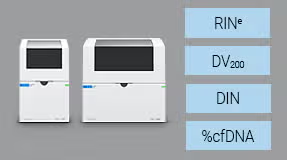
Support for the 4200 and 4150 TapeStation systems: Any of the TapeStation systems are supported for operation with the software
Ease of use: Intuitive data analysis capabilities allow for fast and intuitive sample analysis (concentration, size, and integrity) with different view options and analysis tools
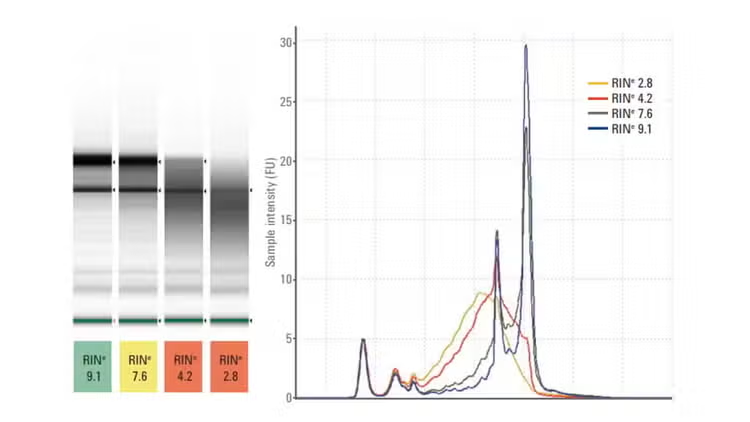
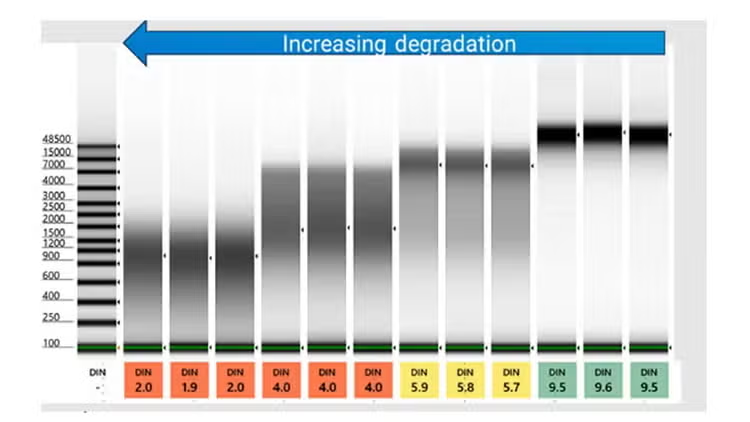
High sample integrity: The DNA integrity number (DIN) and RIN-equivalent (RIN<sup>e</sup>) are objective DNA and RNA quality metrics for DNA and RNA samples
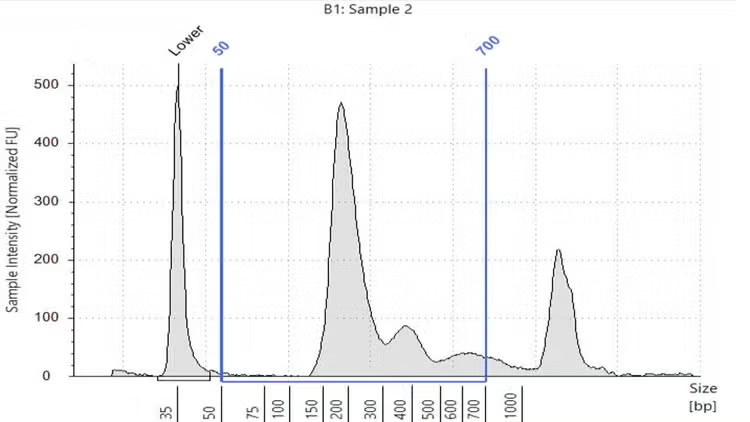
Cell-free DNA quality determination: The %cfDNA score allows users to calculate high molecular weight nucleic acid contaminations
Analysis of NGS libraries: Region analysis offers fast sizing and quantification of library preparations
Long retention of sample quality control information: Reports can be printed or exported as PDF or Word files
Easy data export for exchange with LIMS systems: Multiple exportable data formats are allowed for straightforward integration into presentations, electronic lab notebooks, or a laboratory information management system (LIMS)
Connection of up to two instruments to one laptop: Dual-instrument operation allows simultaneous acquisition of sample data with two instruments in parallel at one computer
System operation check: The TapeStation System Diagnostics may be used as an improved hardware diagnostic tool
Revision 5.3 now available! Supporting RINe scores down to 100 pg/µL for the High Sensitivity RNA ScreenTape Assay.
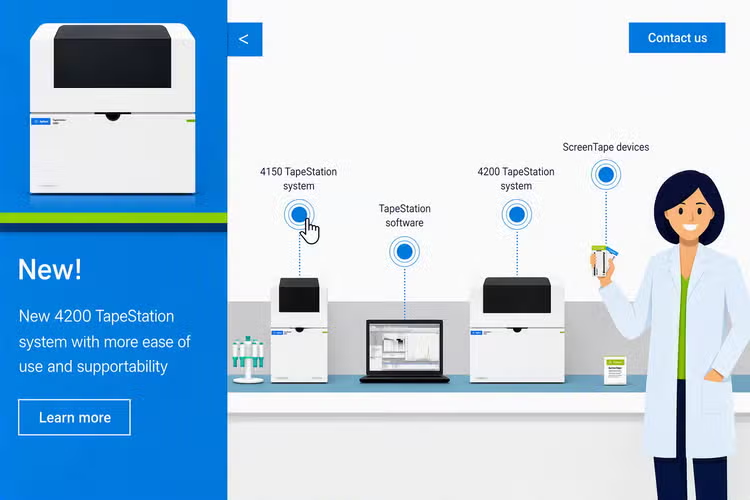
TapeStation systems in an interactive digital lab experience
TapeStation interactive lab lets you virtually explore the 4150 and 4200 TapeStation systems. Navigate through clickable hotspots to learn about instrument setup, ScreenTape technology, software features, and workflow efficiency. Discover how TapeStation automates nucleic acid QC with minimal sample input, fast turnaround, and ACT-label sustainability.
Why TapeStation Software is the preferred choice for NGS quality control
Features and functionality that helps labs work better, faster, and smarter.
tab-label
TapeStation Analysis Software
Fast intuitive data analysis
Evaluate DNA and RNA size, concentration, purity, and integrity in multiple formats, including gel images, electropherograms, and structured result tables.
Sample quality assessment
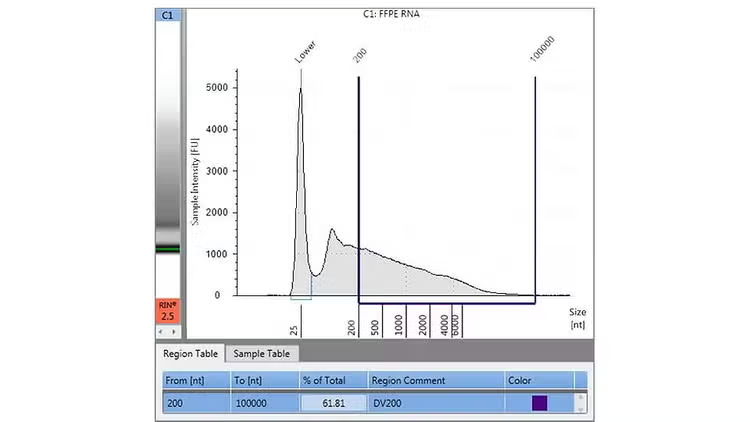
Assess DNA, RNA, and cfDNA integrity by the reliable quality metrics DIN, RINe, %cfDNA, and DV200.
Efficient visual data analysis
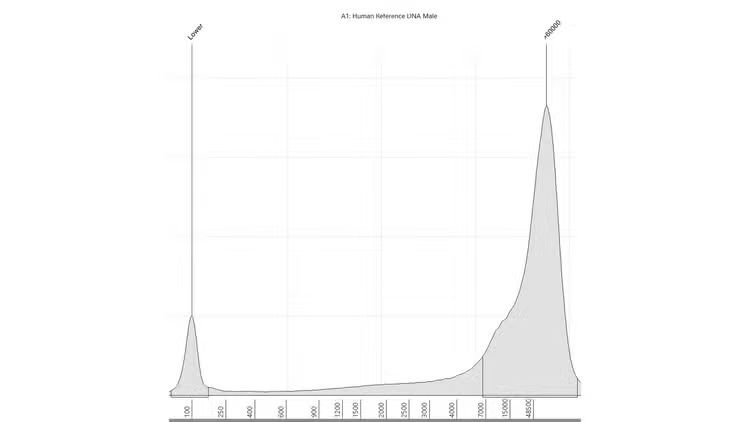
Inspect individual sample results in detailed electropherograms for deeper analysis and verification.
tab-label
TapeStation Controller Software
User-friendly operation
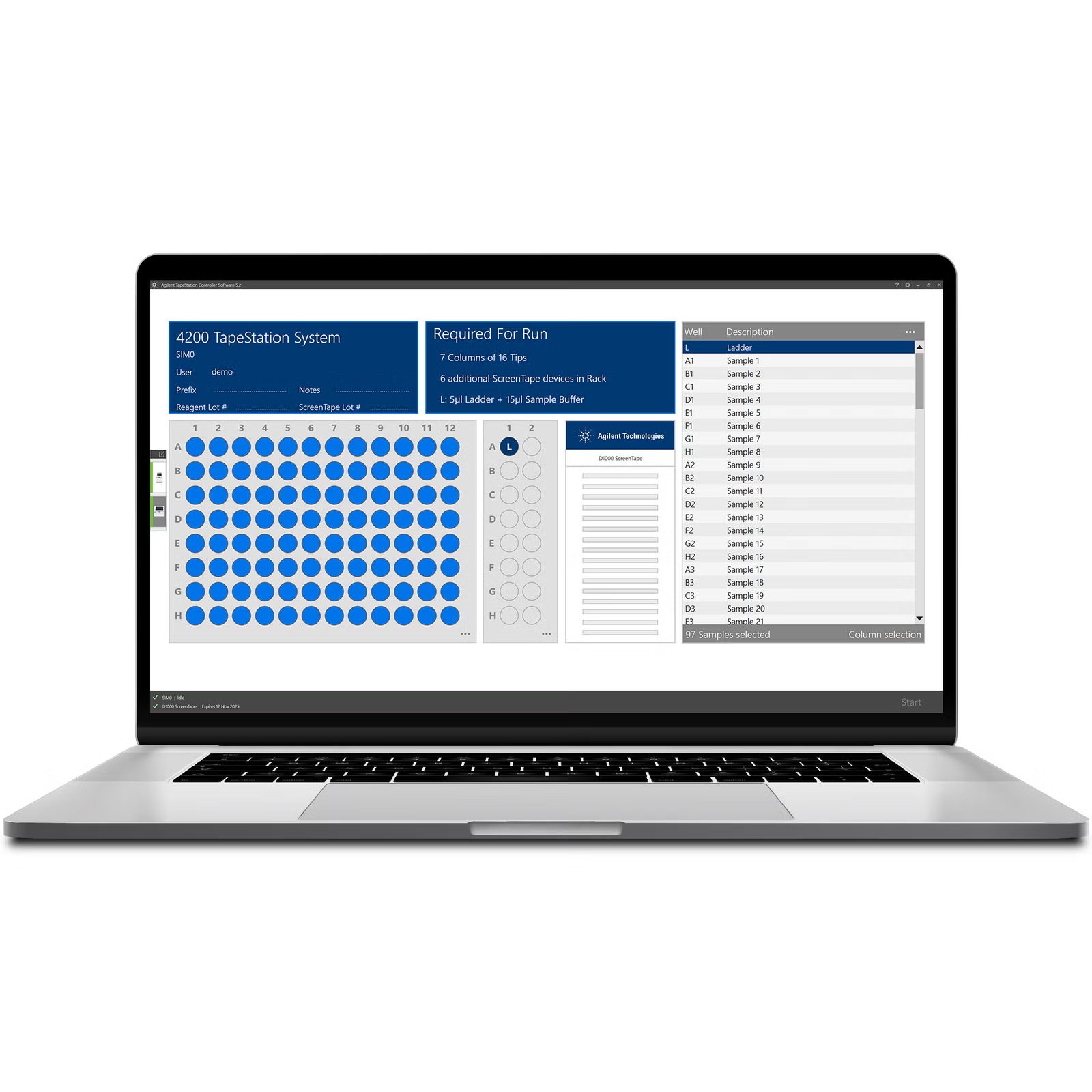
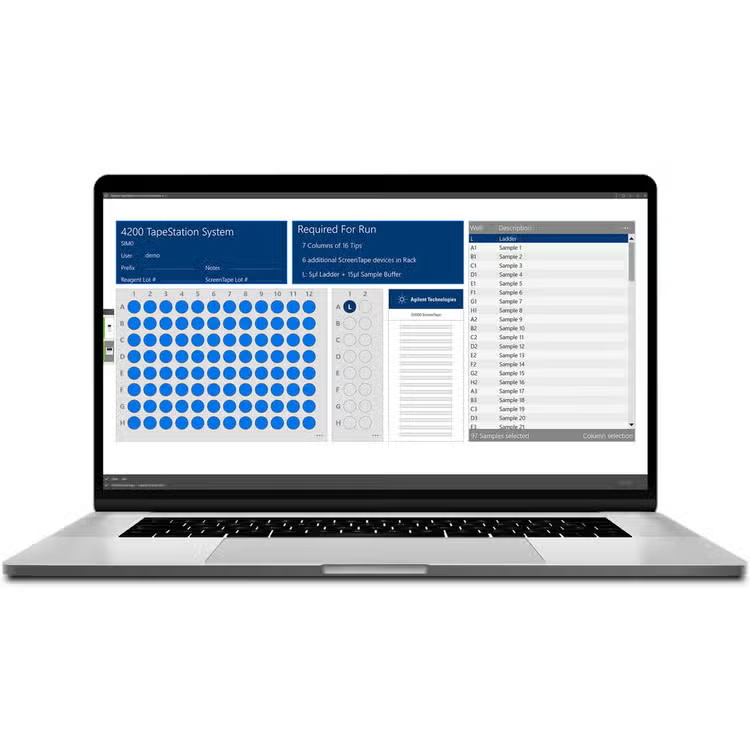
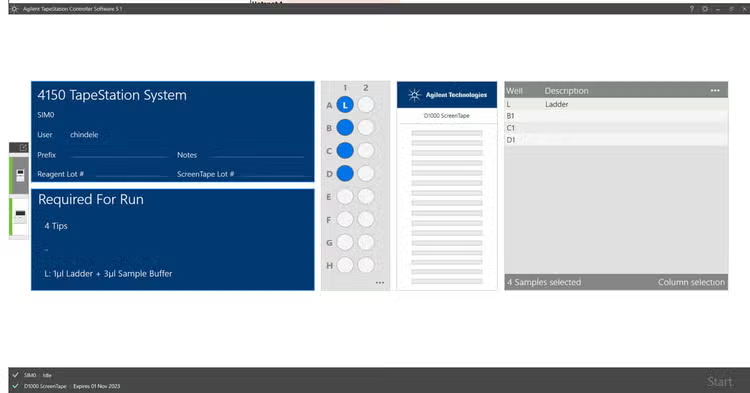
Barcode recognition ensures error-free setup by identifying assay type and available ScreenTape lanes
Increased lab productivity
Run up to two TapeStation instruments simultaneously on a single computer
Accelerated workflows
Automated consumable calculation during setup enables true walk-away operation
tab-label
Trusted quality metrics
RNA integrity number equivalent (RINe)
RINe scores total RNA quality from 1 (strongly degraded) to 10 (highly intact), indicating degradation level in fresh or frozen tissue samples.
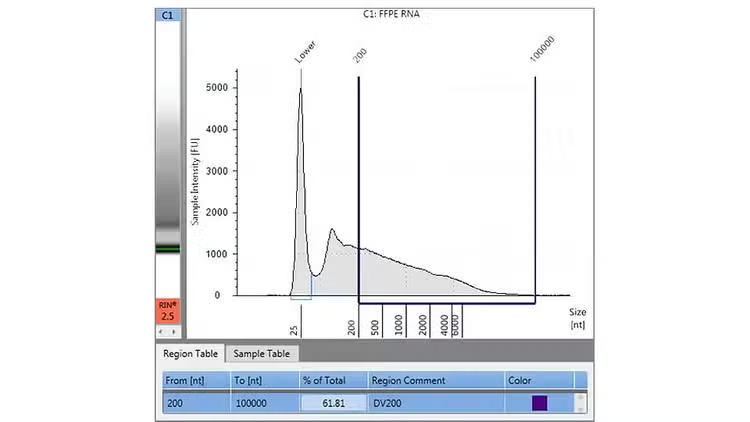
FFPE RNA Distribution Value 200 (DV200)
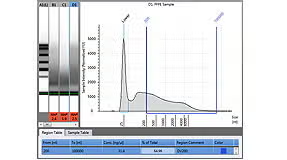
The DV200 quality metric assesses FFPE RNA quality in a sample by calculating the percentage of RNA fragments ≥ 200 nucleotides.
DNA Integrity Number (DIN)
DIN scores genomic DNA quality from 1 (strongly degraded) to 10 (highly intact), based on signal distribution across size range for objective degradation assessment.
Percent cell-free DNA (%cfDNA)
The %cfDNA quality metric measures the percentage of cell-free DNA (50–700 bp) in relation to high-molecular weight DNA fragments.
id
features
From bench to insights
Speed up your sample quality analysis with automated electrophoresis instruments.
style
section-no-spacing, light-blue
Analysis Software
Data reporting and exporting
Export measurement data to different formats like CSV, XML, PNG, PDF, and docx DOCX, or create data reports.
Comparison view
Compare data over different measurement sets using the comparison mode.
Peak and region analysis
Detect peaks automatically or define regions to analyze specific fragment size ranges.
Result flagging for quality metrics
Set thresholds for quality metrics like DIN and RINe, and visualize them to spot outliers immediately.
Gel view
Visualize all samples at once in gel view for quick integrity and size assessment.
Electropherogram view
Graphically assess fragment size distribution and quantity to evaluate sample purity and integrity.
2%, 5%
11%, 5%
20%,70%
40%, 62%
24%, 40%
60%, 50%
Controller software
Dual instrument control
Connect and operate up to two instruments with one PC and manage them independently.
Metadata management
Add notes, lot numbers, and other metadata to enhance traceability and sample documentation.
Automatic assay selection
Barcode recognition automatically identifies the ScreenTape assay type and detects the number of available lanes for analysis.
Automated consumable calculation
Required consumables are auto-detected and calculated, minimizing the need for manual interaction.
Sample descriptions
Quickly enter sample names via copy/paste or import.
System status and observations
Use system diagnostics to check instrument status. Status, warnings and errors are displayed to guarantee reliable system operation.
3%, 60%
10%, 35%
60%, 30%
30%, 70%
80%, 25%
90%, 5%
Everything you need to succeed
DV200 Analysis with the TapeStation systems
Quickly perform input quality control for your formalin-fixed, paraffin-embedded (FFPE) RNA samples.
World-class team of experts dedicated to you. Hand selected from across the globe, each bringing a wealth of experience and expertise to help you solve your issue quickly and efficiently.
What is the difference between peak and region analysis
Peak analysis is best suited for individual fragments which are analyzed. Peak boundaries are automatically detected. Region analysis on the other hand is used for smear-like samples. Regions are manually defined by the user.
Can I compare data in the software?
Data of the same assay type can be compared across measurement files using the comparison view.
Can I export, report or snapshot information from the software?
You can export and report in different formats including PDF, CSV and XML. Additionally, you can create snapshots as PNG.
How do I collect log files for support cases?
You can collect TapeStation log files in two ways: From the Analysis software – Open File --> Help, then click Export Log Files. From the Controller software – Click the cogwheel, select System Diagnostics --> Run Tests, then click Export Log Files. A file explorer opens with the default path set to Desktop, allowing you to export the log files as a ZIP.
Can I export data to LIMS or electronic lab notebooks?
Yes, TapeStation software allows you to export results in various file formats, such as CSV, XML, images, and PDF, which are compatible with most LIMS and lab notebook systems.
Is it possible to switch between TapeStation RUO mode and TapeStation software security module without having to reinstall a different executable?
No, switching between TapeStation standard edition and the TapeStation software security module requires installing the appropriate software version. If you need to switch modes, you'll need to uninstall the current version and install the version corresponding to the desired mode.
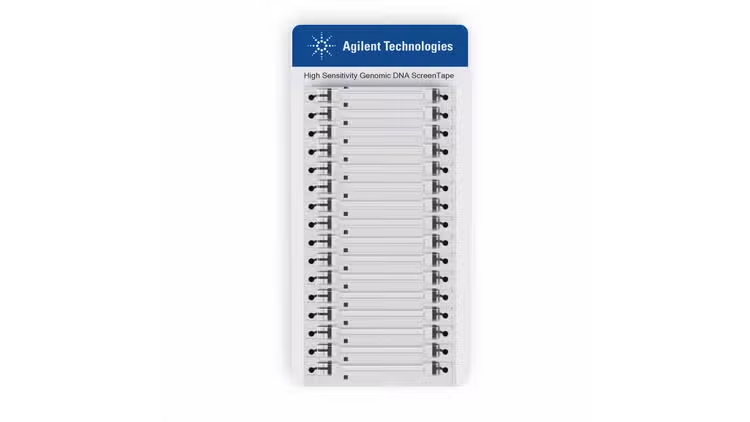
Can I check which lanes have been used on a ScreenTape?
Yes. TapeStation Controller software provides a clear overview of the lanes that have already been utilized and enables you to access any remaining unused lanes on a partially used ScreenTape.
Does the software indicate when the next maintenance operation is required?
Yes. TapeStation Controller software proactively displays information regarding the expiration of the needle and electrode cartridges, helping you plan maintenance in advance.
World-class team of experts dedicated to you. Hand selected from across the globe, each bringing a wealth of experience and expertise to help you solve your issue quickly and efficiently.