Cary WinUV Software for UV-Vis-NIR Applications
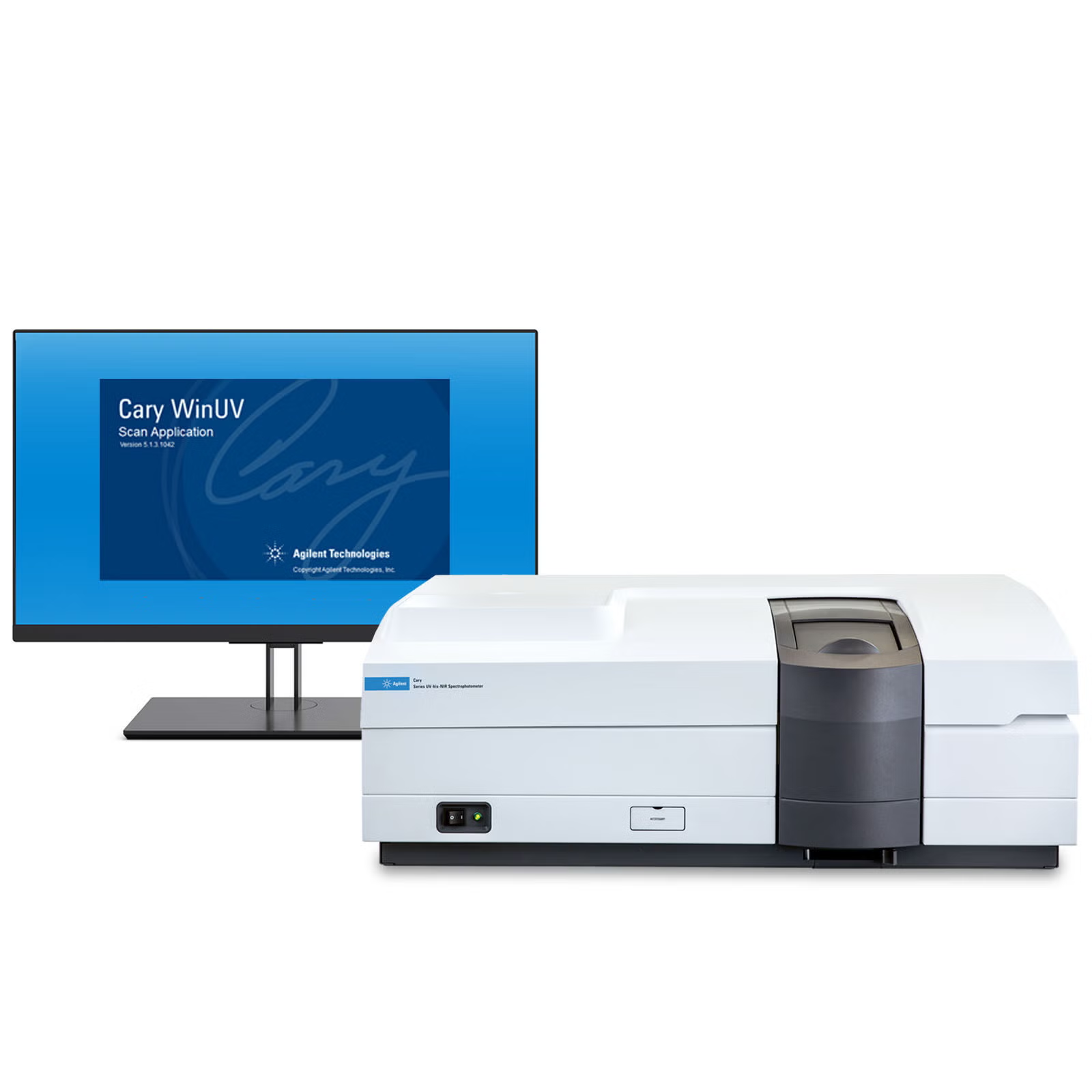
Powerful software for UV-Vis and UV-Vis-NIR analysis
- Cary WinUV is a dedicated UV-Vis-NIR spectroscopy software platform for Cary 4/5/6/7000 UV-Vis-NIR spectrophotometers. This modular, application-focused software brings versatile features and streamlined methods for data collection, robotics and automation, analysis, storage, and display while reducing complexity. Perform wavelength scans, single wavelength reads, time-based collects, concentration analyses, or temperature-controlled experiments with simple, easy-to-set controls offering powerful capabilities.
- Cary WinUV includes workflow sequencers that guide users through automation routines with step-by-step instructions. Data analysis is also unconstrained, allowing users to work beyond the confines of the software itself. Seamlessly link to spreadsheet-based calculations and exploit that versatility, or create reports tailored to specific user needs without the hassle of exporting data.
- Over a dozen software modules covering a range of UV-Vis-NIR applications including scan, color, concentration, kinetic studies, and temperature-controlled experiments
- Simple operation and configuration made possible by supporting modules such as simple reads, align, and validate for automated instrument performance tests
- Extensive graphics with simple controls to display data in a number of formats—and add custom text and labels to graphs
- Inbuilt spectral calculator for basic operations as well as seamless integration and reporting from spreadsheet-configured calculations
- Compatible with the Cary 4000, 5000, 6000i, and 7000 UMS spectrophotometers
- Upgrades make it possible to bring all Cary 4/5/6/7000 models onto the latest Microsoft operating systems
Overview
Specifications
How it works
Cary WinUV—distinctly better software
The modular design of the Cary WinUV software allows the interface to be tailored to fit specific analytical requirements—simplifying UV-Vis-NIR measurements to leverage the efficiencies from the accessories and system.
Dedicated software applications streamline the analytical workflow, from method setup and measurement to data analysis and reporting. The software also provides complete instrument control and advanced data processing tools, giving operators the flexibility to expand the workflows for their specific needs.
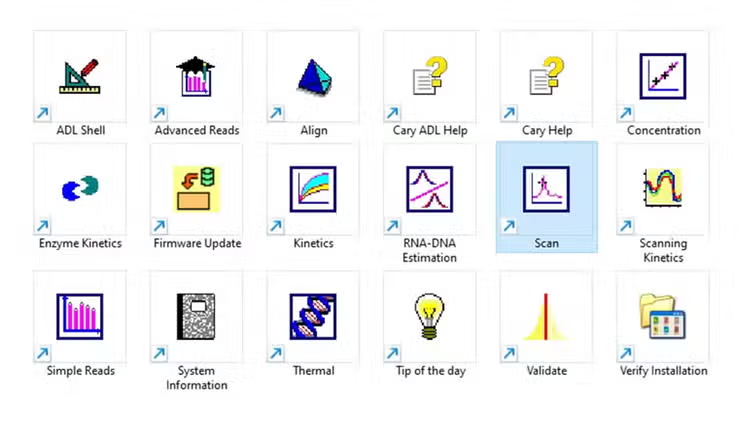
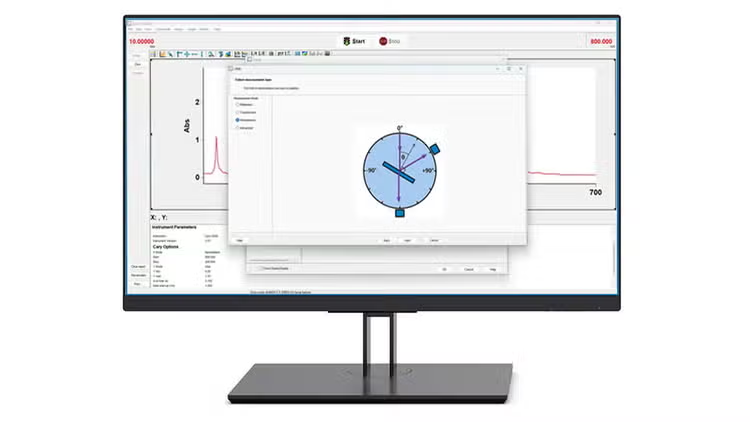
Workflows that make your work ‘flow’
The preconfigured modules in the Cary WinUV software speed up analytical workflows. For example, the Universal Measurement Accessory method sequencer guides you through the setup, step by step, with clear schematics and simple selections making thorough multi-angle analysis a breeze.
Data analysis is not constrained to inbuilt calculations. Seamlessly link to any spreadsheet calculations to exploit almost unlimited versatility. Create the reports you want, the way you want, without having to export data.
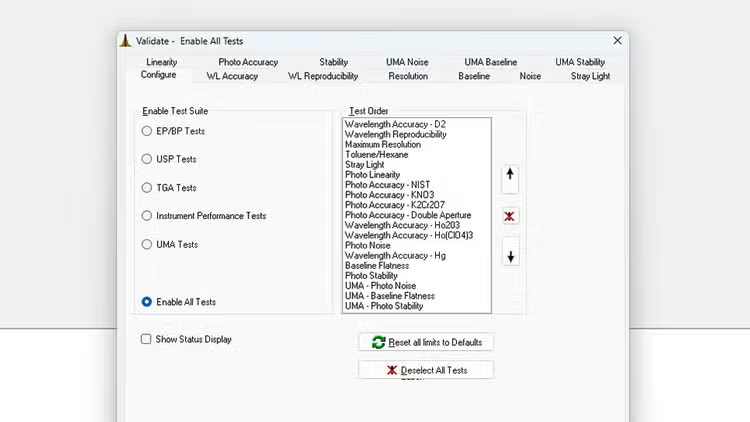
Validate—testing trusted answers
Validate is an application dedicated to ensuring your instrument meets its guaranteed performance criteria from the moment it arrives on site. Choose your preferred test suite, system or accessory and let the Validate software execute the testing protocols for you.
Frequently asked questions
FAQ: Cary Win UV cool tricks on Graphics Windows
On most applications, there are some things we can do to make the graphics window look different and sometimes easier to read. This information relates to the use of the SCAN Application, but can also apply to other applications.
FAQ: How to Run Cary UV/Vis Instrument Performance Tests
When necessary, the operator of a Cary UV/Visible instrument can perform tests to access the performance of the instrument and software. The following steps outline execution of these performance tests.
Why Do We Perform a Zero and Baseline in Scan?
The purpose for zeroing is to balance both the reference beam and the sample beam. By adjusting to zero, the instrument readings reflect the absence of sample.
How Do I Perform a Cary 6x6 Method in Advanced Reads?
How Do I Perform a Cary 6x6 Method in Advanced Reads?
FAQ: Cary Win UV cool tricks on Graphics Windows
On most applications, there are some things we can do to make the graphics window look different and sometimes easier to read. This information relates to the use of the SCAN Application, but can also apply to other applications.
FAQ: How to Run Cary UV/Vis Instrument Performance Tests
When necessary, the operator of a Cary UV/Visible instrument can perform tests to access the performance of the instrument and software. The following steps outline execution of these performance tests.
UV-Vis-NIR Overview & Principles
Learn about the main principles of UV-Vis-NIR spectroscopy, including how UV-Vis-NIR spectrophotometers work, the strengths and limitations of the technique, plus applications, and UV-Vis-NIR measurement techniques.
style
News
New Software Trilogy for Cary 4/5/6/7000 UV-Vis/NIR Spectrophotometers
Three new versions of software have been released for use with the Cary 4/5/6/7000 UV-Vis-NIR spectrophotometers. Cary WinUV Software (v6.6) is used to control the instruments, perform calculations, and create reports. Color Software (v6.5) performs calculations and produces reports against the internationally recognized color standards including CIE. AutoPro (v7.0) software is used with the Solids Autosampler for performing automated multi-sample analysis, or sample mapping.
13 May 2025
New Cary WinUV Color Software for Cary 4/5/6/7000 UV-Vis/NIR Spectrophotometers
A new version of Cary WinUV Color Software (v6.5) has been released for the Cary 4/5/6/7000 UV-Vis/NIR Spectrophotometers. This Color Software is suitable for Cary 4/5/6/7000 UV-Vis/NIR systems running on the Cary WinUV v6.5 software, or the recently released Cary WinUV v6.6 software.
01 Apr 2025
Color Measurements by Agilent UV-Vis and UV-Vis-NIR Spectrophotometers
Humans perceive color when light interacts with objects using photoreceptors in the eye, primarily through the processes of transmission or reflection. Color measurements using UV-Vis spectrophotometers use the same principle as the human eye. However, UV-Vis spectrophotometers can objectively obtain a value that describes the color by offsetting the color of light used to illuminate the sample. The best choice of instrument for a particular application will depend on sample type and analysis requirements. This white paper describes the options for color measurements that are available from Agilent, including an overview of the Cary WinUV Color application that translates spectral data according to various geometrical coordinates and illumination systems.
01 Nov 2023
Tools
UV-Vis & UV-Vis-NIR Instrument Selection Guide
Find out which Agilent UV-Vis or UV-Vis-NIR spectrophotometer is best for your needs.
UV-Vis-NIR Solid Sample Measurement Accessories Guide
Learn about key solid sample accessories for Cary 4000, 5000, 6000i, and 7000 spectrophotometers.
Training & events
When Optics Matter
This webinar will guide you on the best practices, tools, and techniques needed to get the most reliable, verifiable insights into your optical components.
Advancing Materials Analysis Using a Universal Measurement Spectrophotometer
Learn how a Universal Measurement Spectrophotometer is used to analyze advanced materials such as specialized coatings, thin films, metamaterials, photovoltaics, and glass
Molecular Spectroscopy Webinar Curriculum
Molecular Spectroscopy Webinar Curriculum includes UV-Vis, UV-Vis-NIR, fluorescence, handheld and benchtop FTIR, and Raman systems for high performance and flexibility
Spectroscopy Digital Workshops and Bootcamps
Boost your skills with live virtual workshops and software bootcamps—covering spectroscopy, method development, and data analysis.
Related products
PRDT_906263
PRDT_906270
PRDT_906271
PRDT_906269
PRDT_2734364
PRDT_906259
PRDT_9350227
PRDT_3443696
PRDT_906263
PRDT_906270
PRDT_906271
PRDT_906269
PRDT_2734364
PRDT_906259
Need help? Contact our support team
If you didn't find what you need, try these resources or contact a specialist
Get support from our technical experts driving lab performance and reliability
World-class team of experts dedicated to you. Hand-selected from across the globe, each bringing a wealth of experience and expertise to help you solve your issue quickly and efficiently.

Submit a question
Contact our team of spectroscopy experts.
Software downloads
Manage and effectively operate your software licenses with SubscribeNet.
Software support lifecycle policy
Check the lifecycle status for revisions of the Agilent molecular spectroscopy suite of software products.
Contact support
Connect with your local Agilent team.