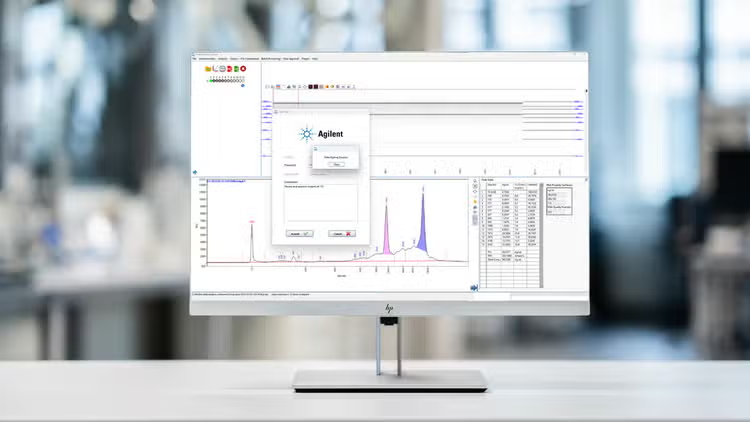
Fragment Analyzer Security Module designed to support compliance requirements of FDA 21 CFR Part 11, EU Annex 11, and GxP laboratories.
The Agilent Fragment Analyzer software security module is designed for laboratories that must comply with the guidelines of FDA 21 CFR Part 11, EU Annex 11, GxP, and similar national electronic record regulations. This software module supports system access control, traceability for data analysis and system changes as well as approval workflow with eSignature functionality.
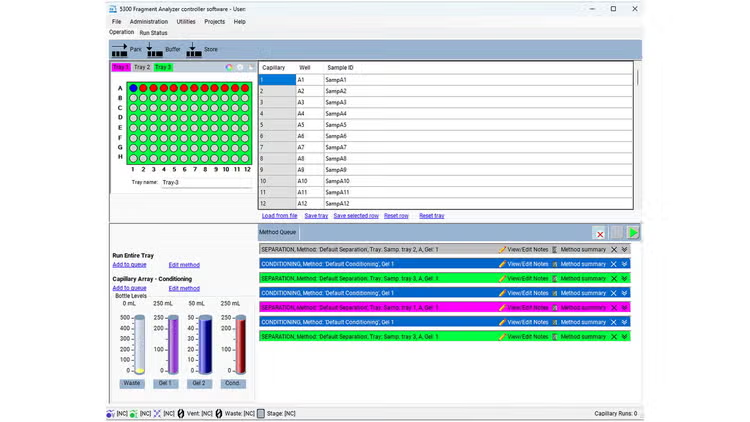
The Fragment Analyzer software security module consists of the Administration software, Fragment Analyzer controller software, and ProSize data analysis software.
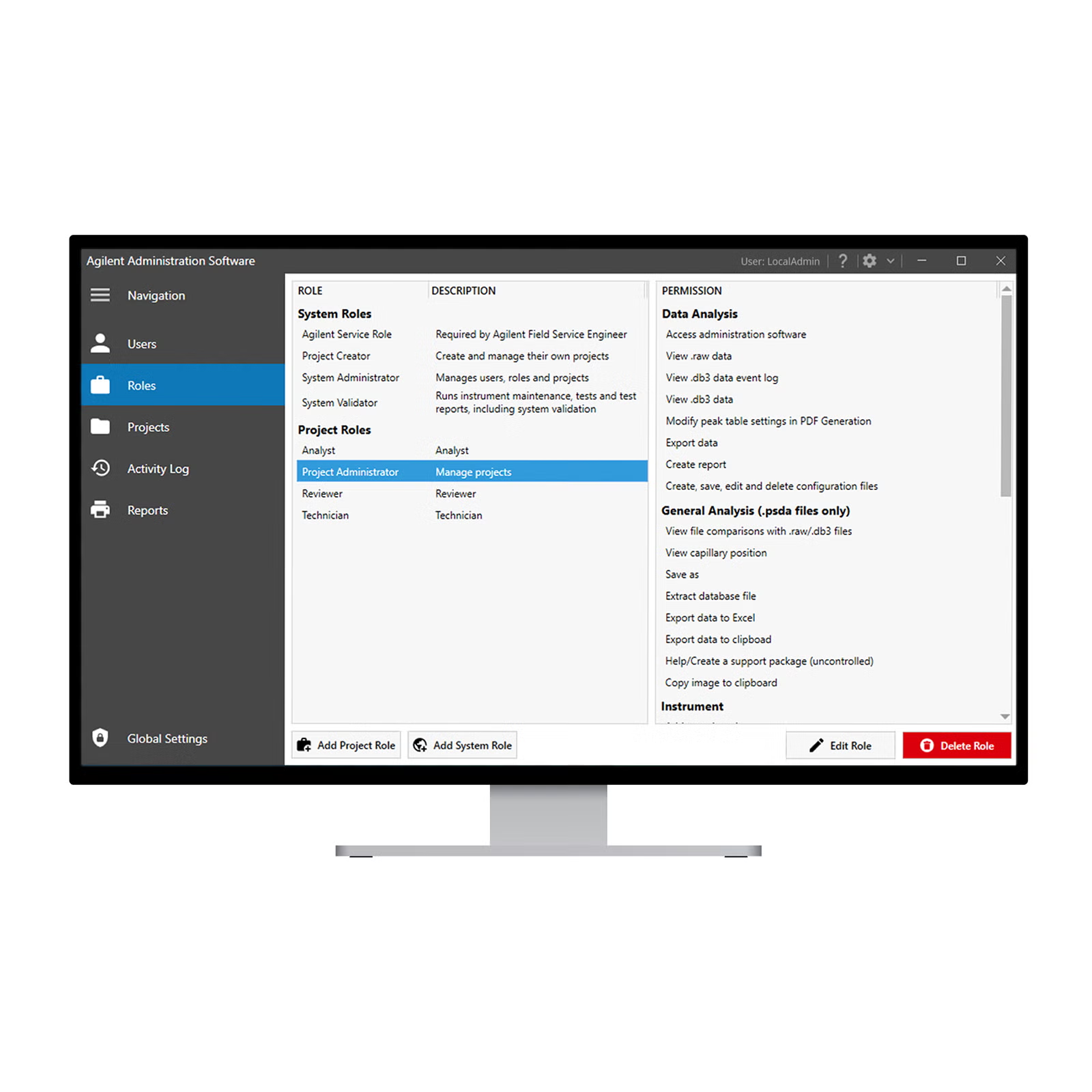
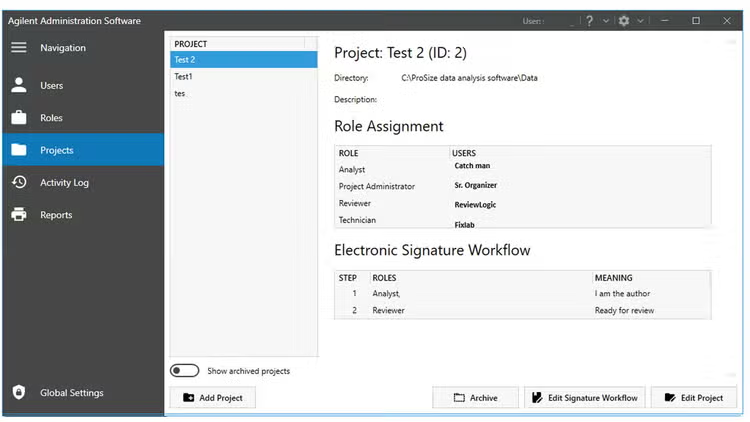
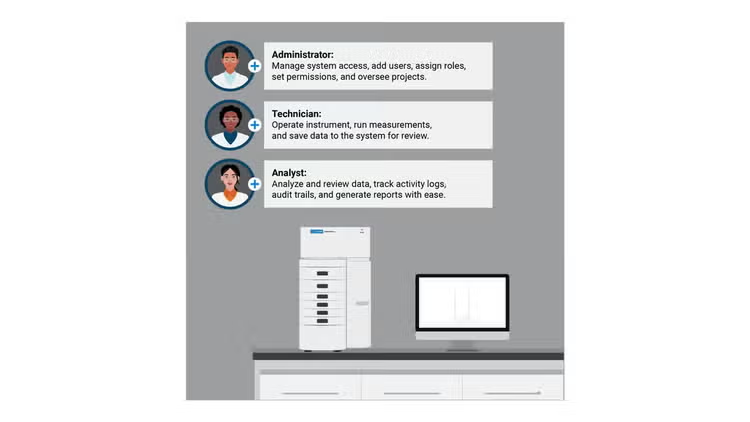
Account management – Allow administrators to specify users with the access to the system. Only those who have been added by administrators can interact with the electronic records.
Access management – Customizable roles to determine a user’s access level. These roles can be grouped together for permission access link to projects.
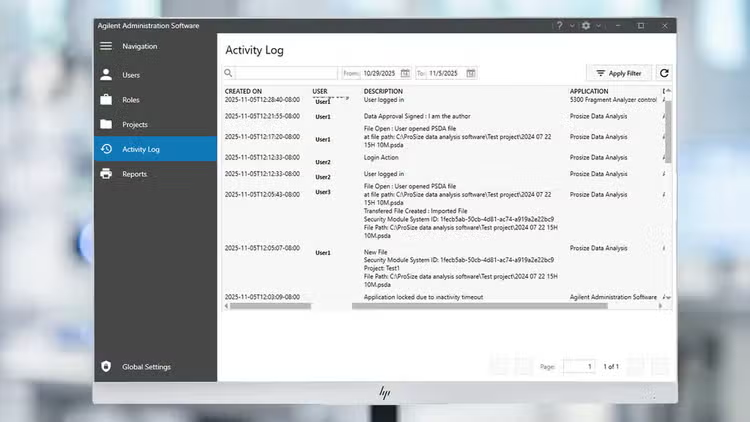
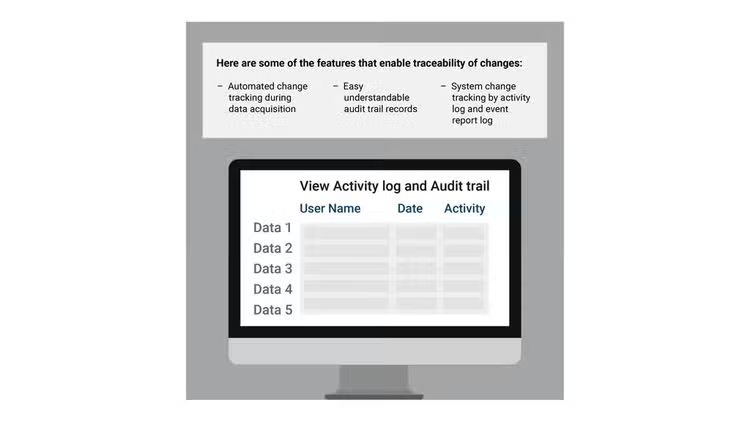
Detailed audit trails – Keep a detailed record of actions taken on a measurement in a file-specific audit trail. System changes are also tracked in a system activity log.
Efficient data approval and approval workflows – Enforce a specific order of signatures and their meanings with customizable workflows. eSignature is available for data review approval workflow.
Reporting – Allow users to generate reports to be exported as CSV and PDF file for specific audience and purposes.
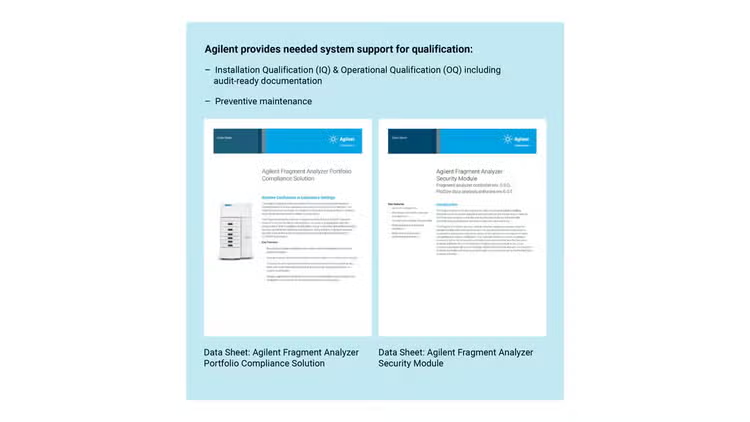
Complete IQ/OQ Services – Ensure the system hardware and software operate per manufacturer’s specifications.
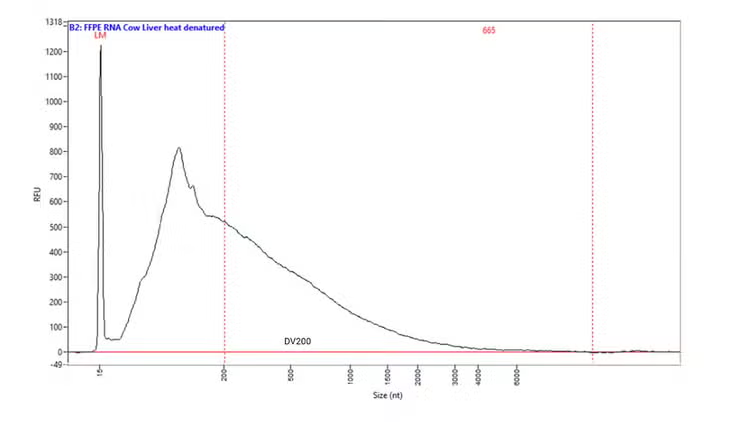
Unlock the power of FFPE RNA with Agilent automated electrophoresis systems. Using the DV200 quality metric, you can quickly assess RNA integrity, identify samples fit for NGS, and optimize workflows to save time and cost. Adjust protocols with confidence, even for degraded samples, and achieve reliable results. Simplify RNA QC with DV200 on Fragment Analyzer systems for smarter, faster decisions.
Nucleic acid integrity analysis by using Agilent quality metrics
Agilent automated electrophoresis systems deliver objective QC metrics to ensure sample integrity and sequencing confidence. From routine DNA and RNA to complex types like genomic DNA, cell-free DNA, and FFPE RNA, these systems provide reliable quality scores for streamlined NGS workflows. Take control of sample quality management and discover which metric best fits your need.
Establishing data integrity protocols and regulatory compliance alignment
Trusted data aligned with compliance standards
tab-label
Fragment Analyzer Administration Software
Full traceability to changes
Maintain complete visibility of all data and system modifications with comprehensive audit trails.
Efficient data approval
Enforce a specific order of eSignatures and their meanings with customizable workflows.
Permission control
Ensure secure instrument operation and data access by applying role-specific permissions.
tab-label
ProSize Data Analysis Software
ProSize Data Analysis Software
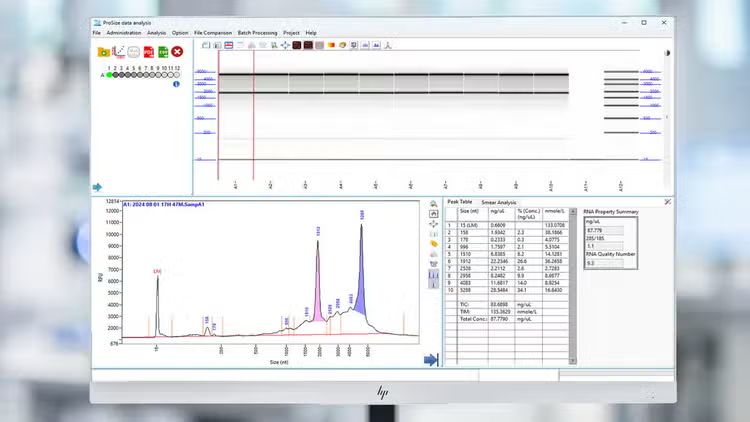
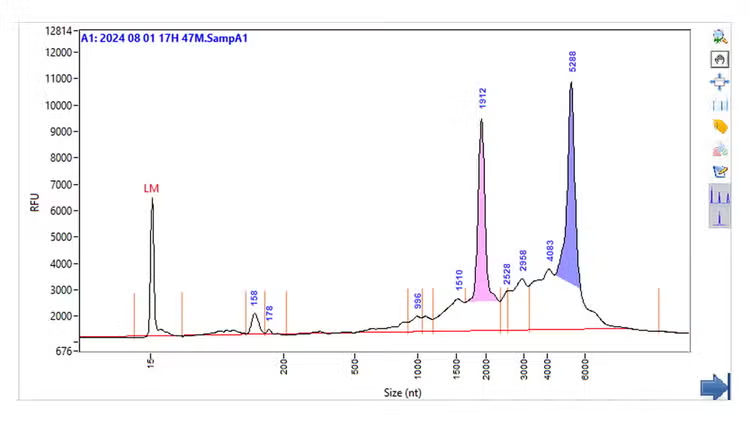
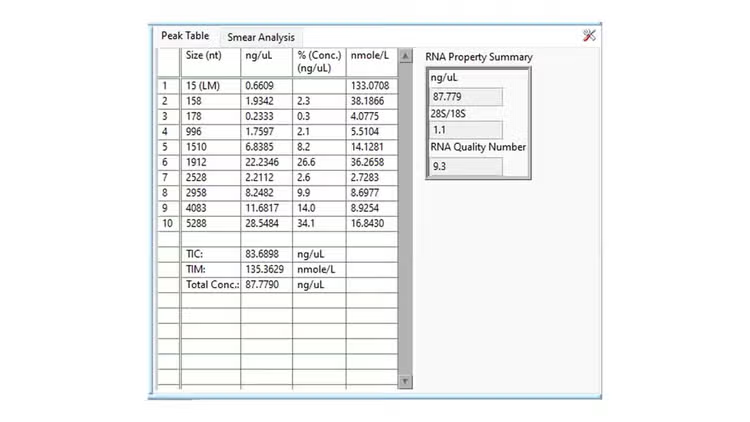
Evaluate DNA and RNA size, concentration, purity, and integrity in multiple formats, such as gel images, electropherograms, and structured result tables.
Effortless visual data analysis
Inspect individual samples in detailed electropherogram view
Concise data representation
Assess sample results with information about size and concentration in clear table format
id
carouselTab
Explore the software suite
Click each hotspot to learn more about the features on the Fragment Analyzer software suite. Use the button to navigate between the three screens.
style
section-no-spacing, light-blue
Administration Software
User Account Management
All users registered to the Security Module can be assigned to a system role with associated permission in a project. Active directory supported
Role Management
Define user roles for the entire system or for individual projects, and customize permissions to match your organization’s workflow.
Project Menu
Organize data into projects with specific locations, assign members with project-specific permission levels, and set up electronic signature workflows.
Activity Log and Report
Track system changes and generate activity reports.
Approval workflow
Assign multiple steps with roles and tasks to review and approve data in ProSize software.
Global Settings
Set idle timeout, login limits, and lockout duration; manage signature reasons and authorization changes
8%, 16%
43%, 36%
3%, 36%
3%, 42%
43%, 58%
3%, 94%
ProSize Software
File comparison
Select, compare, and evaluate multiple data files simultaneously
Ladder use flexibility
Change well ladder, import or export electronic ladder for convenient use
Data reporting and exporting
Export measurement data to different formats like CSV and PDF or create data reports
Gel and electropherogram view
View results in familiar gel view or electropherogram view
Result presentation
Report individual sample data automatically
Data Approval
eSign and approve data and view file lock records.
24%, 4%
16%, 14%
20%, 14%
24%, 35%
65%, 60%
32%, 4%
Controller Software
Event report
Easily review system event activities
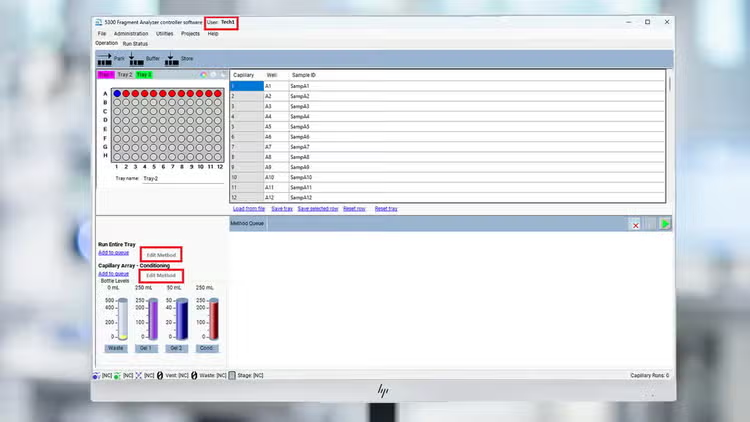
Sample selection
Easily choose tray and sample row
Streamlined sample description entry
Enter sample names by copy/paste or import from a .txt or .xls file
Intuitive method and sample queue view
Select one row or an entire tray for run data or conditioning method with color coordinated tray selection
Track solution levels
Monitors fluid levels to ensure sufficient supply for all scheduled instrument runs
18%, 7%
14%,16%
50%, 30%
14%, 55%
14%, 70%
Feature highlights of Fragment Analyzer software security module
Agilent Fragment Analyzer software security module supports compliance to regulatory standards with robust access controls, detailed audit trails, and approval workflows.
tab-label
Data integrity and compliance
Data access control
Information access is controlled to ensure that only authorized users receive the correct permissions.
Automated oligo analysis
Speed up oligonucleotide analysis with automated data processing.
Traceability of changes
Changes to data and system are tracked, and searchable documentation is available.
Review process
Accuracy and reliability of data are achieved through structured approval workflows and mandatory signature steps.
Data export and report
Export and reporting functions are provided to enable seamless data sharing and comprehensive documentation.
IQ/OQ
Installation Qualification (IQ) and Operational Qualification (OQ) services are provided, including audit-ready documentation.
tab-label
Reliable quality metrics
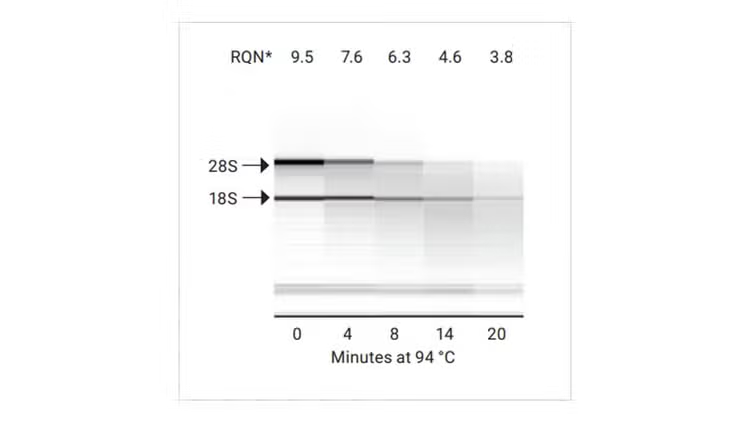
RNA Quality Number (RQN)
RQN provides a simple 1–10 scale for RNA integrity, making quality assessment fast and intuitive
RNA Quality Number (RQN)
RQN provides a simple 1–10 scale for RNA integrity, making quality assessment fast and intuitive
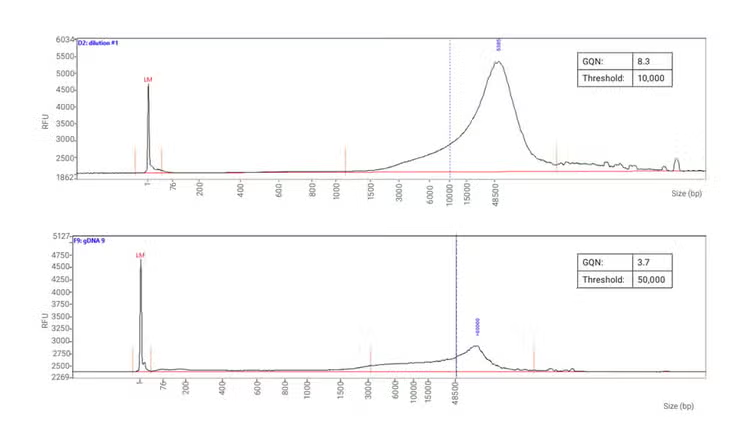
Genomic Quality Number (GQN)
GQN measures gDNA integrity on a 0 - 10 scale, based on DNA above your size threshold, quick, reliable quality for confident workflows
FFPE RNA distribution value (DV₂₀₀)
DV₂₀₀ represents the percentage of RNA fragments above 200 nt, ensuring reliable FFPE sample preparation for downstream applications
Data handling: Import sample name (.txt), Export data as CSV, Image, PDF Reports
yes
yes
Quality metrics (RQN, GQN, DV200)
yes
yes
Installation Qualification/Operational Qualification (IQ/OQ) for hardware and software
yes
yes
Preventive maintenance
yes
yes
File comparison
yes
yes
id
CompareTable
id
videos
Frequently asked questions
What does the Fragment Analyzer software security module do?
This software module is designed to support the Fragment Analyzer users who need to comply with regulation requirements established by FDA 21 CFR Part 11, EU Annex 11, GxP, and similar agencies. It supports system access control, traceability for data analysis visible in audit trails, and approval workflow with eSignature functionality.
How is user access controlled?
Administrators assign access rights through customizable roles, ensuring only authorized users can interact with the instrument, data, and electronic records.
Can roles and permissions be customized?
Yes! User can define roles to match laboratory and projects workflow and group them for streamlined permission management across projects.
Does the Administration software support electronic signatures?
Absolutely. It enforces eSignature workflows with a defined sequence for approvals, meeting regulatory compliance standards.
How are system and data actions tracked when using Fragment Analyzer software security module?
File-specific audit trails capture measurement details, while system activity logs record all configuration changes for complete transparency.
Can eSignature order be enforced with the Fragment Analyzer software security module?
Yes. Customizable workflows allow users to define the order of data approval and meaning of signatures for structured approval processes.
Can permissions be linked to projects?
Yes. Roles and permissions can be tied to specific projects, ensuring users only access relevant data.
Which authentication modes does the Fragment Analyzer software security mode support?
It supports local user accounts and active directory users.
World-class team of experts dedicated to you. Hand selected from across the globe, each bringing a wealth of experience and expertise to help you solve your issue quickly and efficiently.