Refine Results
- Products
- Content Type
- Analysis Platform
- Language

1 - 17 of 17 results

Compare

OpenLab Sync combines LIMS, ELN, and LES capabilities to manage samples, workflows, and experiments in a single system.

Supports LC and GC analysis with established automated workflows
Compare

Secure cloud-ready data storage for Agilent data systems designed to meet current security standards
Compare

Secure data storage designed to support global and multi-site deployments

Calibration curve on Open lab Chemstation
Calibration curve on Open lab Chemstation
-
Hi all, I am looking for a training video or document to help me with my calibration curve on my Open lab Chemstation. I was able to build a calibration curve, but I am looking for the next step. How do I report my sample on this calibration curve?
supported in open lab CDS 2.8 1100/1200
supported in open lab CDS 2.8 1100/1200
-
G1312A and G1367B supported in open lab CDS 2.8
OpenLab Server and OpenLab ECM XT version 2.8 Feature Pack 1 is Available
OpenLab Server and OpenLab ECM XT version 2.8 Feature Pack 1 is Available
-
We are pleased to announce the release of OpenLab Server and OpenLab ECM XT version 2.8 Feature Pack 1. This release introduces targeted enhancements designed to improve system scalability, deployment flexibility, and platform support for modern IT environments.
Unable to see OpenLab .dx files when using MassHunter Quantitative Analysis “Translate OpenLab Samples”
Unable to see OpenLab .dx files when using MassHunter Quantitative Analysis “Translate OpenLab Samples”
-
I’m trying to convert an OpenLab .dx file into a .d file so I can open it in MassHunter Qual and test deconvolution. From what I understand, MassHunter Quantitative Analysis should be able to translate OpenLab files according to this post: https://gcms.labrulez.com/article/4939 "2) Can you process the OpenLab mass spec file in MassHunter?" But when I use the Convert Samples function ("Translate Openlab Samples") in Quant, I cannot see the .dx file in the folder browser, even though the file is definitely located in that folder.
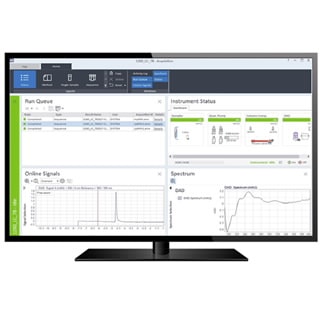
Combines productivity, usability, and data integrity for fast reliable results
Compare

Secure cloud-ready data storage designed to meet current security standards

Simple yet powerful workflow-oriented software for Agilent ICP-MS & ICP-QQQ
Method Advisor and the Batch Conversion Tool simplify ICP-MS/MS method setup and transfer, while IntelliQuant and Star Rating help users review sample composition and data quality faster. Optional modules and integrated control extend workflows across chromatography, intelligent sequencing, single nanoparticle analysis, autosamplers, ADS 2, LC and GC systems, Smart Chiller, and Gas Clean Sensor support.
Compare

Add-on software for OpenLab CDS that simplifies and speeds up instrument operation.
Compare

For transforming OpenLab CDS data into structured datasets for analytics and insights.
Compare

Automates the time-consuming task of comparing quality control chromatograms and complex samples
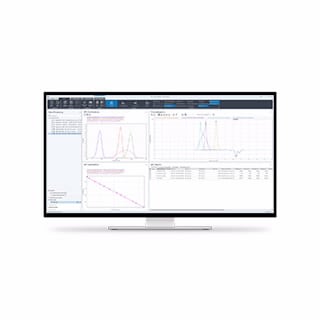
An OpenLAB CDS add-on for application-specific GPC/SEC calibration, data processing, and reporting
Compare

For QC of synthetic oligonucleotides when analyzed by single quadrupole LC/MS.
Compare

For the analysis of large, multiply-charge molecules analyzed by single quadrupole LC/MS.

Intuitive MAM data analysis software built for QC and regulatory compliance
A QC-ready, USP <1060>-aligned MAM solution makes adoption possible without the need for expert MS knowledge, pairing intuitive software with streamlined LC/MS on the Infinity III bio LC and 6230C LC/TOF. Built-in capabilities, such as a ready-to-use system performance check and Agilent VacShield, ensure reliable operation and less downtime.
This is MAM designed for QC: simple to deploy, easy to use, and fully aligned with regulatory expectations, so your lab can move confidently from R&D to routine QC.

OpenLab software platform to manage complete dissolution workflows in regulatory compliant labs.

Enable GPC/SEC software functionality and advanced detection workflows in OpenLab CDS.
Compatible with both workstation and network-based setups, this advanced GPC/SEC software solution allows HPLC and GPC/SEC calculations on the same data files. It supports narrow and broad standard workflows, making it ideal for labs seeking streamlined, reliable macromolecular analysis without switching platforms.