ICP Expert Software
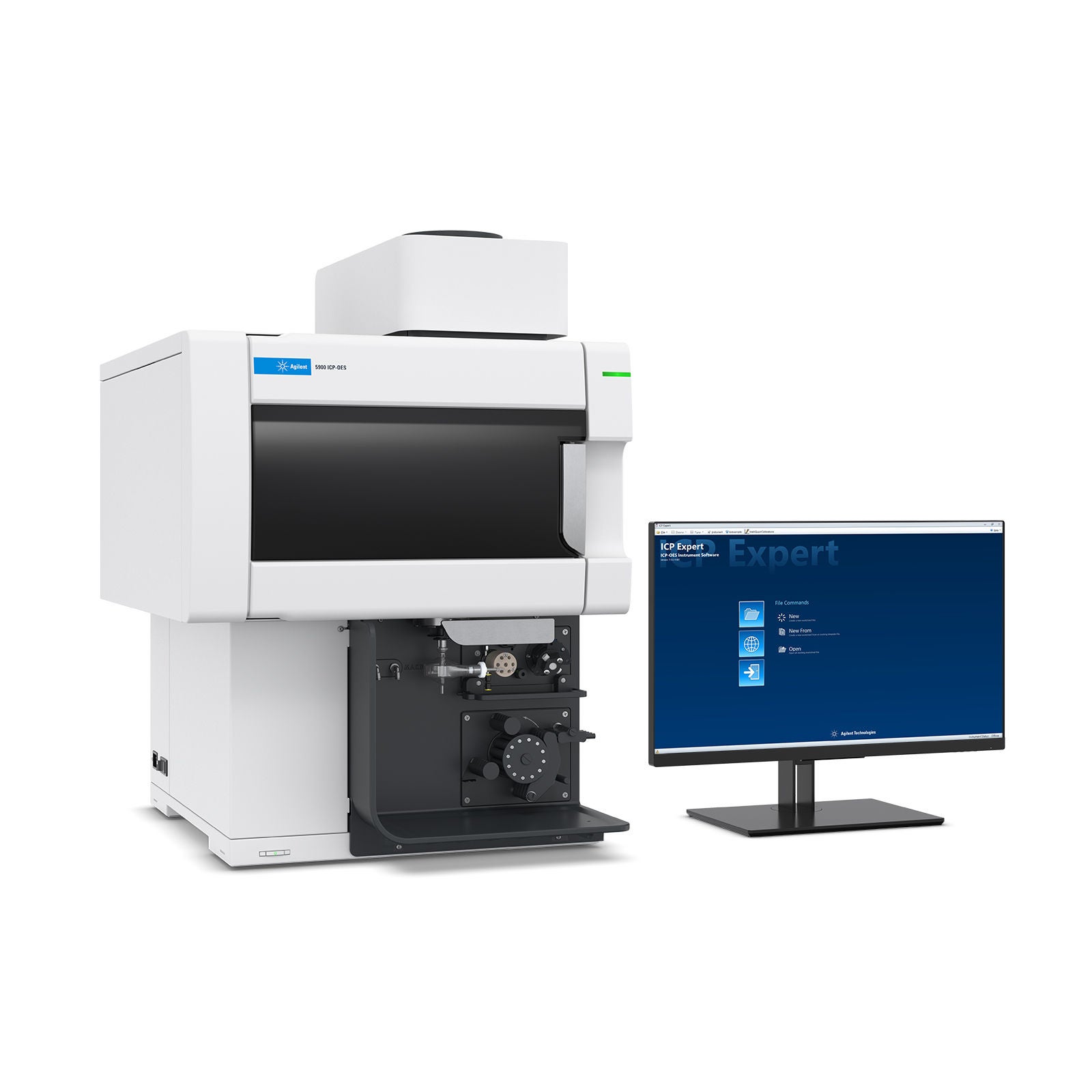
Work smarter with built-in intelligence
- Powerful Agilent ICP Expert software for the Agilent 5800, 5900, 5110, and 5100 ICP-OES systems features a familiar worksheet interface, easy method development, and preset methods to simplify your analysis and save you time. Smart features make recommendations and solve problems before they happen, reducing the number of samples you have to remeasure and giving you more confidence in your results.<br><br>Be assured of your analysis and compliance for your electronic records under the 21 CFR Part 11 regulations with the optional SCM and SDA software applications, designed to support your lab requirements with ease.
- Smart features provide greater sample insight, streamline analysis, and increase confidence in your results
- Intelligent monitoring helps maintain performance and keeps your analysis running smoothly
- Integrated support streamlines instrument and accessory operation, automation, and regulated workflows
- Integrated reporting workflows simplify result review, data export, and communication of analytical findings
- Data-security and compliance controls help regulated laboratories protect records and manage access
ICP Expert: Complete Control of Your Workflow
Understand your samples. Trust your answers.

Overview
Let ICP Expert power your lab to success
Features and functionality that help labs work better, faster, and smarter

IntelliQuant
IntelliQuant captures data from the entire wavelength range, identifies spectral interferences, and provides recommendations to ensure you get the right answers every time.

Data analysis features
Data analysis features, such as Outlier Conditional Formatting and the Summary Row, allow you to quickly and easily identify unexpected results and report the correct answer.

Interference correction
Smart tools, such as fitted Background Correction, Fast Automated Curve-Fitting Technique, and Inter-Element Correction, simplify method development when dealing with both routine and complex samples.

IntelliQuant Screening
IntelliQuant Screening screens your samples within seconds, which is ideal for method development assistance when dealing with unknown samples.

Early Maintenance Feedback (EMF)
Early maintenance feedback tracks your instrument health the smart way, informing you when maintenance is needed, reducing unplanned downtime and maintenance costs.

Intelligent Rinse
Intelligent Rinse (optional upgrade) improves sample throughput while preserving the accuracy of your results.

Neb Alert
Neb Alert continuously monitors the nebulizer and alerts you when the nebulizer is leaking or needs cleaning, preventing wasted time and the cost of troubleshooting.

Chiller
Agilent recirculating chiller support ensures total control of your smart chiller via the instrument software, with live status updates and helpful notifications when troubleshooting is required.

ADS 2
Support for the Agilent Advanced Dilution System 2 (ADS 2) for automatic sample and standard dilution.

21 CFR Part 11
Built-in technical controls ensure the security of your data, control access, and facilitate compliance as defined by US FDA 21 CFR Part 11, EU Annex 11, and similar national electronic record regulations.
How it works
Smart tools designed to make your life easier
IntelliQuant: Automatic full-spectrum scan and simplified method development
IntelliQuant automatically performs a full-spectrum scan during ICP-OES analysis, identifying elements across the sample and estimating concentrations for up to 70 elements without requiring calibration. Results appear as a color-coded periodic table heat map for rapid interpretation.
IntelliQuant also highlights potential spectral interferences and recommends suitable analyte wavelengths, helping analysts develop robust quantitative methods faster while reducing remeasurements and unexpected results.

IntelliQuant Screening: The next generation of ICP-OES method development
IntelliQuant Screening is a dedicated method development workflow that uses IntelliQuant semiquantitative analysis to assess unknown samples before quantitative testing begins. Running independently of a quantitative method, it screens sample composition, identifies potential spectral interferences, and ranks the most suitable analyte wavelengths. You can then transfer recommended wavelengths directly into a new quantitative method, simplifying method development and improving confidence in results.
What's new in ICP Expert version 7.8

Enhanced accuracy and precision with standard bracketing
By employing standard-sample-standard sequencing, standard bracketing offers high-precision determination, minimizing sample-to-sample fluctuations and matrix effects for demanding applications.
Highlights:
This new calibration technique facilitates major component analysis for high-precision applications like precious metal alloys (in line with ISO methods 11494 and 11495) and catalyst refining.
The new Sample Aggregate row enables in-worksheet calculations and result validation for each bracketing cycle, offering instant insight and simplified reporting.
Display analyte results in either Fineness (‰) or Karats for precious metal industry standards.
Support for high-capacity SPS 6 autosampler
Software control to support the new Agilent SPS 6 autosampler.
Highlights:
User-programmable configuration supporting up to 540 samples.
Seamless integration with the Agilent ADS 2 autodilutor for longer unattended runs.


Auditory worksheet alerts and enhanced QC controls
Boost your workflow efficiency with new sound alerts and smarter QC management.
Highlights:
QC failure sound: Enable sound notifications for some or all QCs in a worksheet to streamline issue detection and response.
Run completion sound: Receive a distinct sound when a run finishes (distinguishable from the QC failure sound), helping minimize downtime and improve productivity.
Run stop on internal standard drift: Prevent wasted samples and time by enabling runs to automatically stop when internal standard drift exceeds user-defined thresholds.

What was new in ICP Expert version 7.7
- Advanced Dilution System (ADS 2) support
- New data analysis features
- Windows 11 support
- SQL Express 2022 CFR support
Documents & support
Frequently asked questions
What is ICP Expert software used for?
ICP Expert controls and analyzes data for Agilent 5800, 5900, 5100, and 5110 ICP-OES instruments. It simplifies method development, automates troubleshooting, and delivers smart features for accurate elemental analysis.
Which instruments are compatible with ICP Expert?
ICP Expert supports Agilent 5800, 5900, 5100, and 5110 ICP-OES systems. It also integrates with accessories like the Agilent SPS 4 and SPS 6 autosamplers and the Agilent ADS 2.
Does ICP Expert include IntelliQuant?
Yes. IntelliQuant provides full-spectrum scans to identify spectral interferences, recommend optimal wavelengths, and assist with method development. IntelliQuant Screening offers rapid semiquantitative results in seconds.
How does ICP Expert help reduce remeasurement?
Smart features like IntelliQuant, Outlier Conditional Formatting, and interference tools (Fitted Background Correction, Fast Automated Curve-Fitting Technique, and Inter-Element Correction) prevent issues before they occur, reducing reruns, saving time, and improving data quality.
Can ICP Expert monitor instrument health?
Yes. Early maintenance feedback uses color-coded counters and sensors to alert you when maintenance is due, minimizing downtime and avoiding unnecessary service callouts.
Does ICP Expert support regulated environments?
Yes. Optional 21 CFR Part 11 support (SCM and SDA modules) provides secure electronic records, controlled access, and audit trails, and helps meet FDA and EU Annex 11 requirements.
What visualization tools are available?
Smart Views enables concentration-based color thresholds and customizable grids. IntelliQuant Screening adds bar, pie, and scatter charts for rapid insights into sample composition and trends.
How does ICP Expert simplify method development?
Predefined templates, IntelliQuant recommendations, and automated correction tools (fitted Background Correction, Fast Automated Curve-Fitting Technique, and Inter-Element Correction) make setup fast and reliable—even for complex matrices and unusual samples.
Can ICP Expert integrate with automation accessories?
Yes. ICP Expert supports ADS 2 autodilution and autosamplers (e.g., SPS 4 and SPS 6), enabling prescriptive and reactive dilutions, unattended batches, and streamlined high-throughput workflows.
What training resources are available?
A built-in ICP Expert Help and Learning Center provides videos and guides. Agilent training resources and community portals also offer additional live webinars and on-demand courses.
style
Advance your lab with technical training
Data analysis and processing, report generation, and customization
Discover how ICP Expert software simplifies data analysis, QC review, and report generation for environmental ICP-OES workflows.
ICP-OES and MP-AES software and hardware live demo
Let us show you the features in both the software and hardware of our ICP‑OES and MP‑AES. We have real-world samples for the analysis and showcase the exceptional results our systems can provide.
Hardware and software live demo for USP 232/233 analysis
See how ICP Expert software supports USP 232/233 elemental impurities testing, from compliant method setup and data processing to quality control review and customized reporting.
Software Bootcamp Kickoff—ICP-OES Part 1
Learn more about how the new ICP Expert software can transform your ICP-OES workflow in part 1 of this webinar.
Software Bootcamp Kickoff—ICP Expert Part 2
Learn more about how the new ICP Expert Software can transform your ICP-OES workflow in part 2 of this webinar.
Software Bootcamp Kickoff—ICP ExpertPart 3
Learn more about how the new ICP Expert Software can transform your ICP-OES workflow in part 3 of this webinar.
Software support and resources

Get support from our team of atomic spectroscopy experts
A world-class team of experts dedicated to you. Hand-selected from across the globe, each bringing a wealth of experience and expertise to help you solve your issue quickly and efficiently.

Software download center
Manage and effectively operate your software licenses with SubscribeNet.
Software support lifecycle policy
Check the lifecycle status for revisions of the Agilent atomic spectroscopy suite of software products
Online ICP Expert Help and Learning Center
The comprehensive and interactive ICP Expert Help and Learning Center is now available online.
Contact support
Connect with your local Agilent team.